
Heidi - Security where you code
Available in all the major marketplaces





Free or Premium Edition
HEIDI is designed to be accessible to every developer, right from the start.
- Free Edition: Available for everybody. Enjoy essential security scanning with no registration and no subscription needed. Simply install the plugin to instantly analyze your manifest files and secure your dependencies with zero friction.
- Premium Edition: For teams and professionals requiring deeper insights, the Premium edition unlocks advanced scanning capabilities. Connect with a Meterian account to access comprehensive vulnerability analysis, private project support, and enterprise-grade security features.
Fix Issues Before They Escalate
Security vulnerabilities become more expensive and complex to fix the later they are discovered in development. Addressing these issues early not only saves time and resources but also reduces the risk of critical flaws reaching production. HEIDI helps developers catch and resolve vulnerabilities during the coding phase, providing timely insights and suggested fixes. By preventing costly fixes and security breaches after deployment, HEIDI ensures a more secure and efficient development process.
- Automatically find all vulnerable components in your project
- One-click remediation with options for each finding
- ...or let your AI assistant do the work for you via our AI Skills & MCP integration
While organizations implement security measures across build pipelines and deployments, security within the IDE is often overlooked. HEIDI bridges this gap by detecting vulnerabilities as code is written, allowing developers to address security concerns early in the development lifecycle.

Designed by Freepik
Designed by Freepik
Privacy-Focused Analysis: No Source Code Transfer
Security and privacy are critical when integrating third-party tools into your development workflow. HEIDI ensures that your source code remains completely secure, analyzing only manifest files, which are structured lists of dependencies used in your project, rather than transferring any actual code to external servers. These manifest files are temporarily processed in an isolated environment, allowing HEIDI to detect vulnerabilities without exposing sensitive information. This approach guarantees that your intellectual property stays protected while still providing comprehensive security insights to help you maintain a secure and resilient codebase.
Supercharge Your AI Assistant with Live Security Data
AI assistants are pre-trained on a fixed dataset that becomes stale over time. New vulnerabilities emerge daily, but AI models lack awareness of post-training discoveries. Heidi's built-in MCP server feeds your AI assistant the latest security data in real time — automatically, with no configuration required.
- Zero setup: activates automatically when the extension initialises and self-registers with VS Code Copilot, Cursor, Windsurf, and AI CLIs such as Claude Code, Gemini CLI and Codex CLI.
- Natural language queries: ask your AI directly — "Is any of my libraries vulnerable?" or "Get me a list of all critical vulnerabilities."
- Actionable answers: suggests safe upgrade versions with full advisory context, not just vulnerability names.
- Free & Premium: available in Free mode; Premium adds broader language coverage and more detailed advisory information.

Designed by Freepik




Available on the most popular IDEs
HEIDI is available for JetBrains, VS Code, Windsurf, and Cursor, with ongoing support for multiple programming languages. Secure your development workflow and enhance software security — install HEIDI today to build secure code from the ground up.
Works with leading AI coding assistants
HEIDI teaches Claude, Gemini CLI, Codex, GitHub Copilot, Aider, Continue.dev, and other AI coding assistants to scan your dependencies and suggest safe upgrades — inline, as you work, without leaving your workflow.






Online documentation
Step-by-step setup guides, configuration references, and usage examples to help you get the most out of HEIDI. The documentation covers the full lifecycle: installing the plugin, understanding scan results, and applying fixes. You will also find dedicated guides for configuring the built-in MCP server, so your AI assistant can query live vulnerability data directly from your IDE.

Effortless Protection with Zero Disruptions
HEIDI runs quietly in the background, scanning your dependencies without interrupting your workflow. When it finds a vulnerability, it provides instant, actionable insights, so you can fix issues with a single click and keep coding without distractions.
Want to see HEIDI in action? Check out the tutorials below to learn how effortlessly it integrates into your development process!
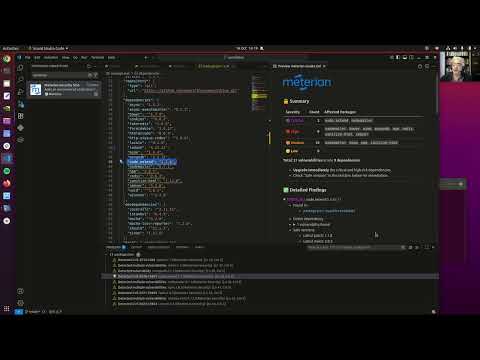 IDE Extension (Visual Studio Code)
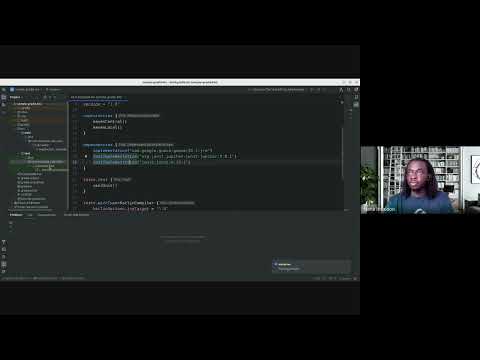 IDE Extension (JetBrains)
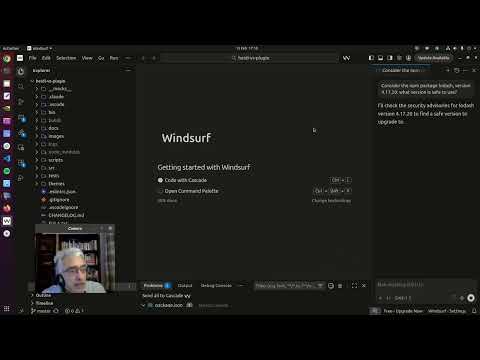 MCP integration (Windsurf)
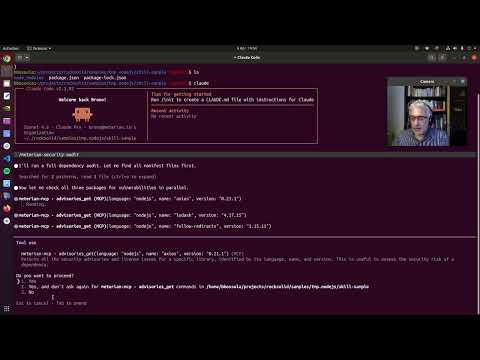 Skills (Claude)
All product names, logos, and trademarks are the property of their respective owners. JetBrains, IntelliJ IDEA, PyCharm, and GoLand are trademarks of JetBrains s.r.o. Visual Studio Code is a trademark of Microsoft Corporation. Windsurf is a trademark of Codeium Inc. Cursor is a trademark of Anysphere Inc. Claude is a trademark of Anthropic PBC. Gemini is a trademark of Google LLC. Codex is a trademark of OpenAI Inc. GitHub Copilot is a trademark of GitHub Inc. Aider and Continue.dev are trademarks of their respective owners. Meterian is not affiliated with, endorsed by, or sponsored by any of these companies.